How to compare Instagram followers and following exports
Use Instagram’s own download, compare the two exported lists locally, and understand what a non-mutual result actually means before unfollowing anyone.
6 min readBy Comparable List Editorial Team
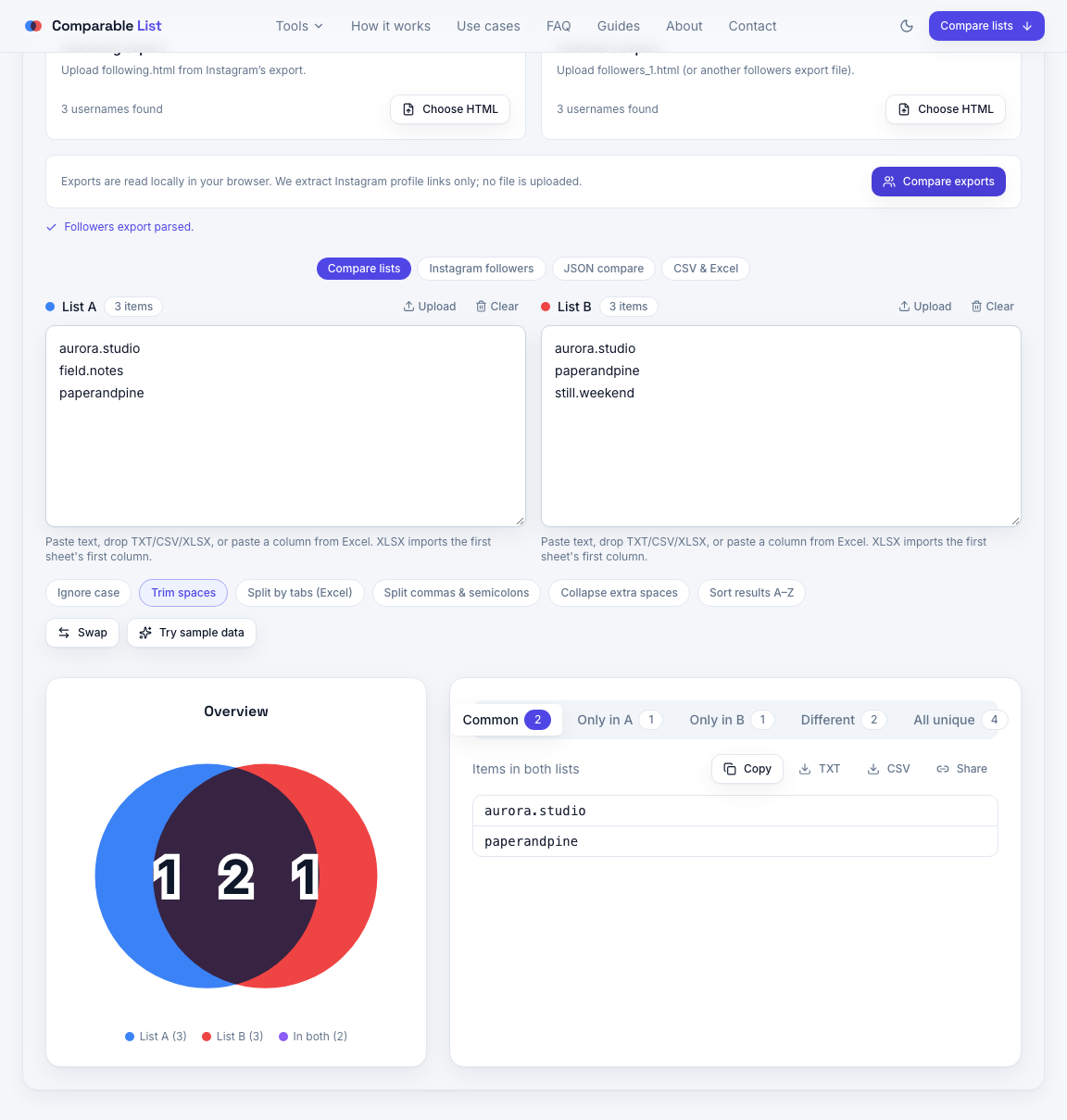
Instagram does not provide a reliable “who does not follow me back” list inside the app. The dependable alternative is to compare the followers and following files that Instagram exports for your account. This guide keeps the workflow deliberately conservative: use the original export, compare account names locally, and treat the result as a review queue rather than an automatic unfollow list.
1. Request the right export
In Instagram’s Accounts Center, request a download of your information. Choose the HTML format and include the followers and following category. Instagram may take some time to prepare the download, so do not assume a recently requested archive reflects changes made after the request.
- Use an export from the account you intend to audit.
- Choose HTML when Instagram offers a format choice.
- Keep the archive unchanged until you finish reviewing the comparison.
2. Select followers and following separately
After unzipping the archive, open the followers_and_following folder. Upload following.html as the list of accounts you follow. Upload followers_1.html as the list of accounts that follow you. Some larger exports contain multiple followers files; combine them only when they belong to the same export.
3. Read the three useful result groups
Start with Common to confirm the archive was parsed as expected. Then open Only in A for potential non-mutual accounts. Only in B contains followers you do not currently follow. The combined Different result is useful when you want one review list, but it does not explain direction on its own.
A result is not proof that someone manually unfollowed you. People may have deactivated an account, changed usernames, restricted access, or be represented differently in an export. Compare only exports from the same point in time whenever possible.
4. Review before taking action
Download the relevant result as CSV if you need to annotate it. Check recognizable names first, then decide whether the relationship matters to you. Do not use third-party services that ask for your Instagram password simply to produce this comparison; the export-based workflow avoids handing account credentials to another service.
Ready to check your data?
The tool runs locally in your browser. Review the result before you act on it, especially when a list contains customer, account, or operational data.
Open Instagram follower compareRelated workflows
Need to compare usernames, emails, or another plain list? Use the general list comparison tool. For a structured data comparison, see the JSON comparison guide.